F FlowTap Install free
Chrome extension · 100% local · No account

Record the web. Replay forever.

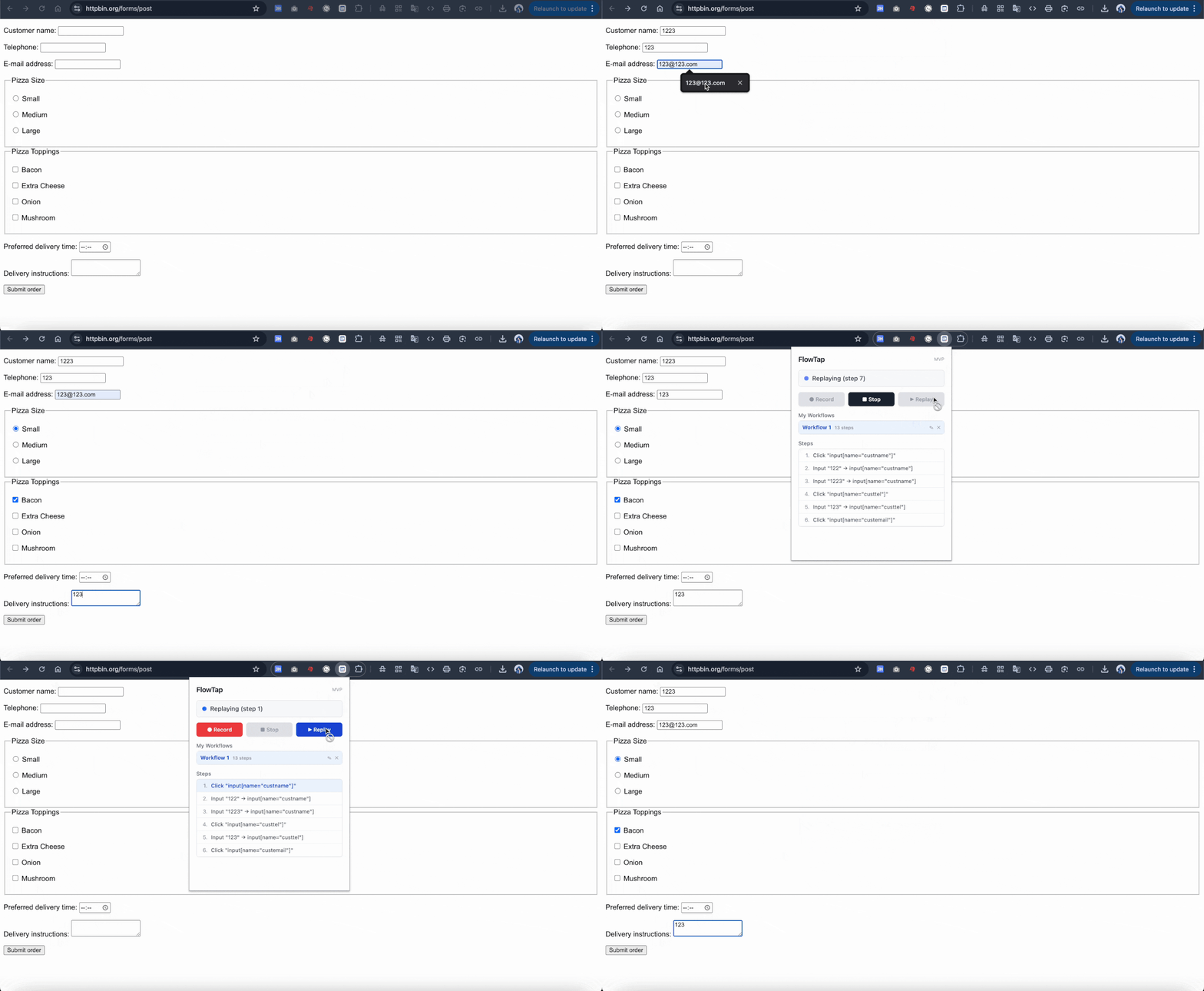
FlowTap captures your clicks and keystrokes on any website, then replays them with one click. No code, no setup, no AI.

Works on Chrome, Edge, Brave · 3 free workflows · No card required

flowtap-demo.gif
You're doing the same 20 clicks every day.

Login → form → submit → next page → form → submit. Times a hundred. There's a better way that doesn't involve learning Selenium.

🏢

Admins

Back-office forms, every morning.

🛍️

Shopify sellers

Bulk product, inventory, order tasks.

👔

Recruiters

Same data, three different systems.

💼

Sales

Lead copy-paste into the CRM.

10 seconds to your first automation

No drag-and-drop builder. No script editor. Just record and replay.

1

Click ● Record

Open the FlowTap popup, click Record. A red dot appears in the corner.

2

Use the site normally

Login, fill forms, click buttons — every step is captured with stable selectors.

3

Click ▶ Replay

Anytime. FlowTap repeats the exact sequence, faster than you can.

Why it doesn't break

Web automation usually fails because selectors are fragile. FlowTap stores five.

🎯 5-layer selector fallback

data-testidaria-labelname/id → text content → XPath. When the DOM shifts, FlowTap still finds your element.

🔒 100% local

No accounts, no cloud, no telemetry. Workflows live in your browser's local storage. We literally can't see them.

⏱️ Smart wait + auto-scroll

Each step waits up to 5 seconds for the target to appear, then scrolls into view before acting. No more "element not visible" failures.

🛑 One-click Stop

Misclick during recording or want to abort a replay? One button. No drama.

Not Playwright. Not Zapier. Not RPA.

A different size of tool for a different size of problem.

Tool Problem
Playwright / PuppeteerRequires programming
ZapierDoesn't work for complex web UIs
Enterprise RPAToo heavy. Weeks to set up.
AI agentsUnreliable, slow, expensive per run
FlowTapJust record. Just replay. Free to try.

FAQ

Is my data sent anywhere?

No. FlowTap saves workflows to chrome.storage.local on your computer. There is no FlowTap backend.

Does it work on every website?

It works on most. Chrome blocks all extensions on chrome:// pages and the Chrome Web Store itself. Some sites with heavy iframe / shadow DOM use are not yet fully supported.

Will recordings include my password?

If you type a password during recording, that text is saved into the workflow. We recommend not recording flows that capture passwords or payment info, or deleting such workflows afterwards.

How much does Pro cost?

Pro is not yet available. The plan is one-time lifetime pricing for unlimited workflows and steps. Want early access? Email us.

Can I export / share a workflow?

Not in the MVP. Coming in a future release.

Try it. It's free.

Install in 5 seconds. Record your first workflow in 30 more.

Add to Chrome — Free